Inviato da IBM1130 il Ven, 03/13/2026 - 16:24
Slow pdf printing - fixed
- Login o registrati per inviare commenti
Ven, 03/13/2026 - 16:24

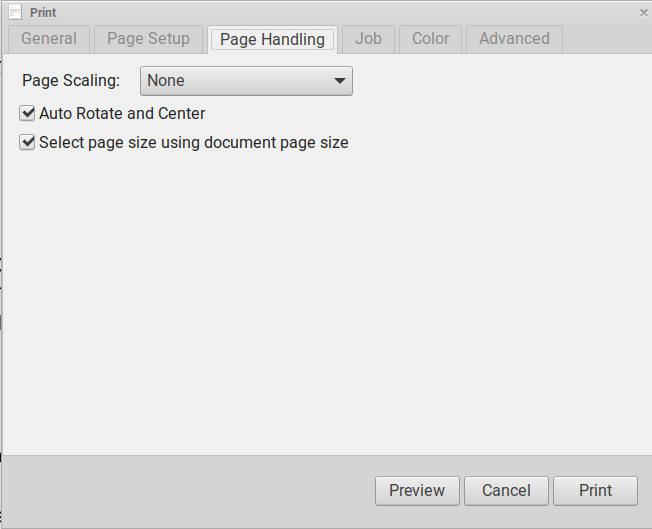
In the last couple of weeks, my Trisquel Thinkpad X200 suddenly became painfully slow at printing pdfs. It took hours to print a 10 page pdf. I use a relatively old HP Laserjet Pro 400 as a network printer. Normally it prints pretty fast. After reinstalling the printer and trying numerous drivers, nothing helped. Then I figured out that the problem involved a Paper Handling setting. The printer was getting bogged down trying to resize the paper. I changed the setting to "resizing->none" and printer began operating at the normal, fast speed.I hope this workaround is helpful.The attached screenshot shows settings the worked for me. Good luck.
| Allegato | Dimensione |
|---|---|
| Screenshot at 2026-03-13 08-53-42.png | 22.4 KB |