




Verfasst von carmenlisandrette am Di, 03/10/2026 - 21:51
How to enable your microphone if it's disabled in MATE sound preferences
- Anmelden oder Registrieren um Kommentare zu schreiben
Di, 03/10/2026 - 21:51

I'm posting this so it shows up in search results for future me and others like me. The solution might be dead obvious -- but not if you're in a hurry!
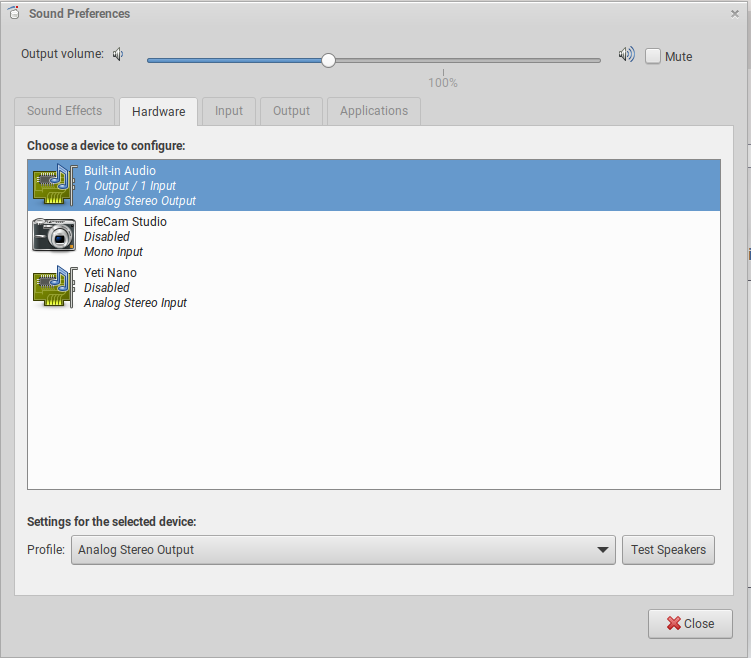
Sometimes when you plug in a microphone, MATE sound preferences will show it as disabled (see attachment).
You need to reboot before PulseAudio will let you use it.
(If anyone knows a way to do this without a reboot, I'd love to know).
| Anhang | Größe |
|---|---|
| mate-sound-prefs.png | 43.89 KB |
Di, 03/10/2026 - 22:07
#1

Trisquel 11:
systemctl --user restart pulseaudio.service
Trisquel 12:
systemctl --user restart pipewire.service