




Submitted by aitux on Sun, 07/26/2009 - 10:50
Burn Trisquel CD images
This manual covers the steps to make a Trisquel bootable disc for users using the Microsoft Windows and Mac OS X operating systems, too. This manual is not an endorsement for the use of non-free operating systems. This manual is designed to help users migrate from non-free systems to free ones, as it is the case of Trisquel.
Descibed methods
- In Trisquel
- In Windows
- In Mac OS X
- plus links to external documentations at More help
In Trisquel
- Download a Trisquel disc image from our downloads page.
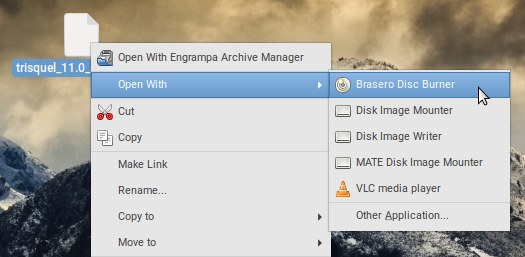
- Right click an .iso image and select "Brasero Disc Burner".
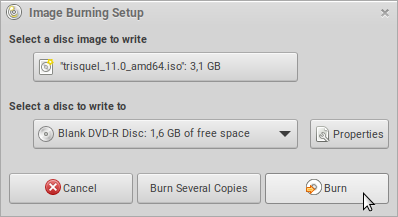
- Then select a disc to write to and start burning by clicking on "Burn".
In Windows
- Download a Trisquel disc image from our downloads page.
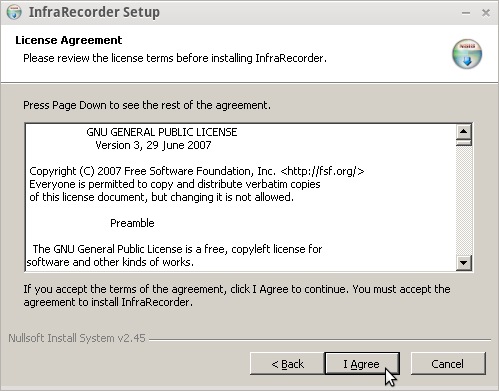
- Download and install InfraRecorder, a Free Software program that burns disc images.Current 2017 this project has not released new versions since 2012, this could be a potential security risk, it is preferable to make use of a maintained Free, Libre software such as Unetbootin, (documentation for Windows, available on site).
- Insert a writable disc (e.g. CD-RW or DVD-RW) into the recorder and select "do nothing" or "cancel" if any auto-boot message appears.
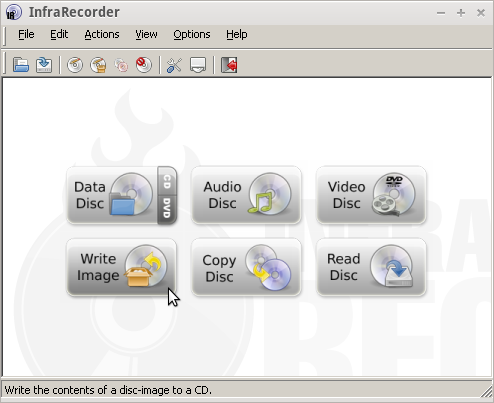
- Open InfraRecorder and select Write Image.
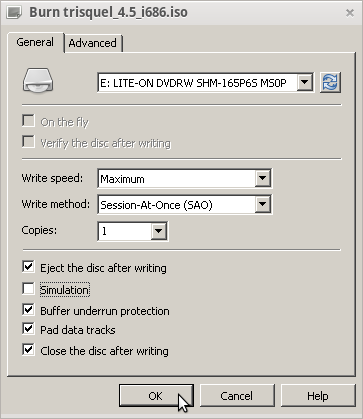
- Select the ISO image that you downloaded in step 1, for example "trisquel_4.5_i686.iso", and click on 'Open'.

- Check the recording settings. Be sure to choose a recording speed low for an error-free recording; then click on 'OK'.
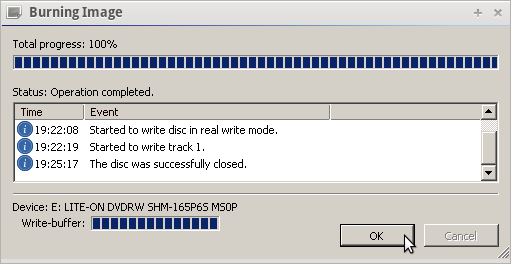
- Burning progress will be displayed while your disk is created.
In Mac OS X
- Download a Trisquel disc image from our downloads page.
- Download and install Burn, a Free Software program that burns disc images.
- Double-click on the downloaded ZIP file to extract the application, then double-click on Burn to launch it.

- Click on "Copy" on the upper tab.
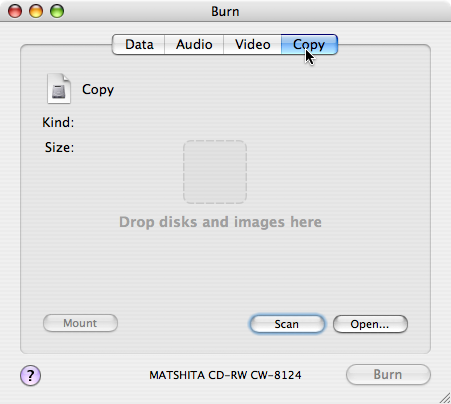
- Find the downloaded Trisquel disc image, then drag it to the drop zone titled "Drop disks and images here."

- Click on the 'Burn' button in the bottom-right corner of the window.

- Insert a writable disc, such as a CD-R or a DVD-R (rewritable discs work too) into your system's disc drive, then click on the 'Burn' button on the pop-out dialog. Be sure to choose a recording speed low for an error-free recording; then click on 'OK'.
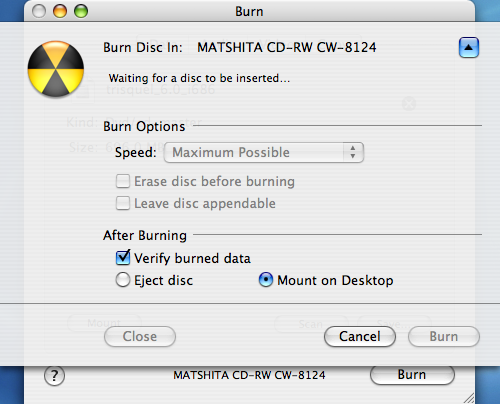
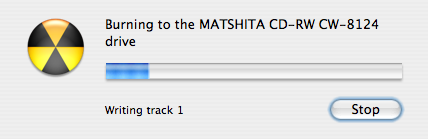
- Burning progress will be displayed while your disc is created.
More help
- Unetbootin - unetbootin.github.io
- InfraRecorder Documentation - infrarecorder.org
- Burn Documentation - burn-osx.sourceforge.net


