




A problem with Abiword

Hi to everyone.
I normally use Trisquel Mini and at the moment I have a problem with Abiword. As you can see in the picture, the Abiword screen became smaller after a typing error (I think Ctrl+@ or something else). How can I reactivate the normal Abiword screen? Thanks in advance for the attention.
| Attachment | Size |
|---|---|
| IMG_20260222_150345.jpg | 1.98 MB |


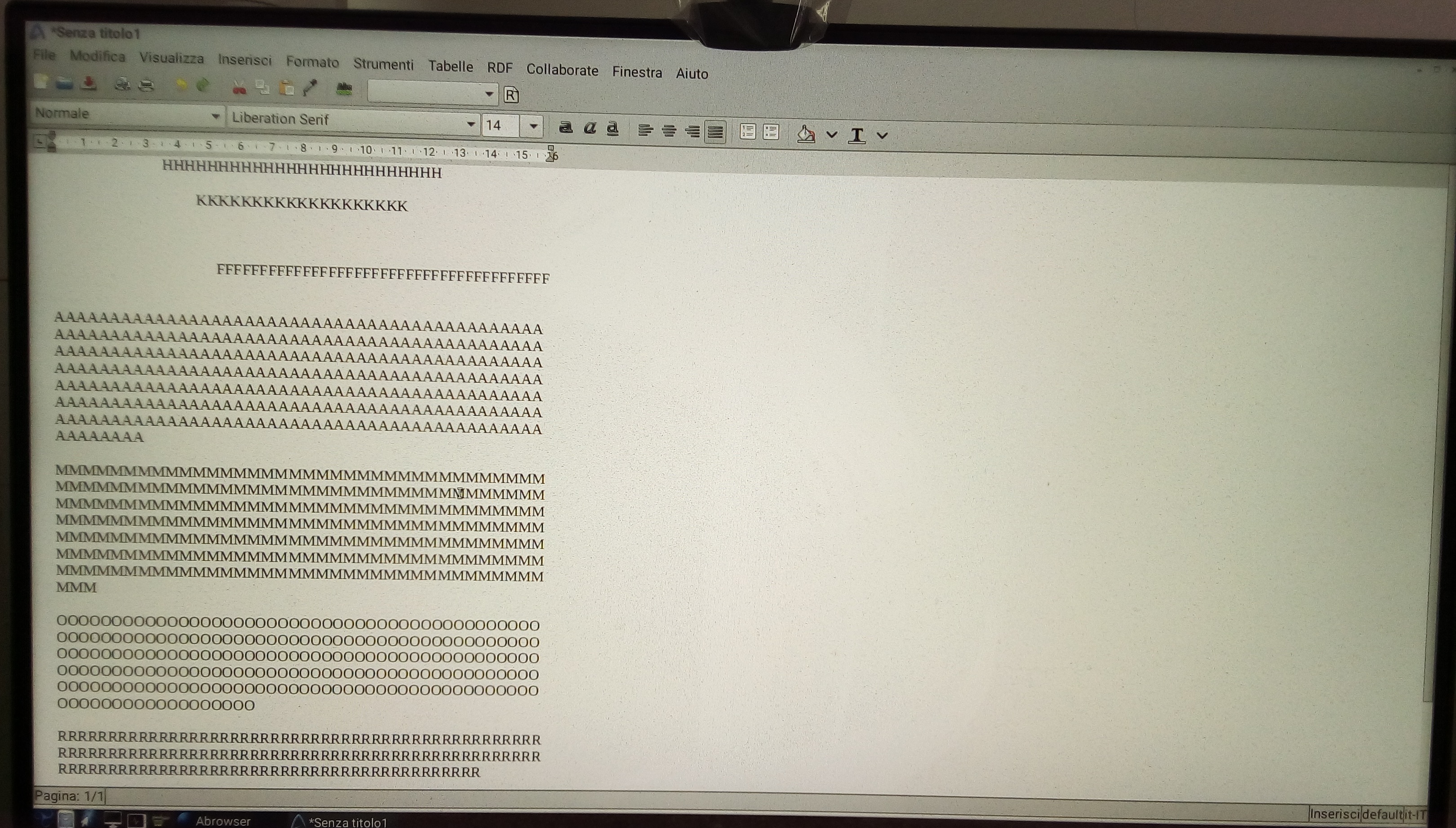
I do not use Abiword. Anyway, whatever the program, you can always go back to its default settings by removing your personal configuration of it, ~/.config/abiword here. That is the folder named "abiword" in the hidden folder ".config" (Ctrl+H in your file manager may show the hidden files) in your home folder. If you prefer a command line:
$ rm -r ~/.config/abiword
Rename instead of remove, if you have useful customizations you want to more easily restore; customized templates for instance. In the terminal, that could be:
$ mv ~/.config/abiword abiword-config.old
Thank you, Magic Banana, for the reply. The first command line restored the normal Abiword screen.

I have had issues with opening .odt files I created with libreoffice or focuswriter that I opened and saved in abiword.
Dunno why this is... my point being, abiword has its "problems" for sure.