




Video Editor
This documentation covers non-linear video editors available for Trisquel. It is updated for Trisquel 12 (Ecne). Depending on your needs, you have different options.
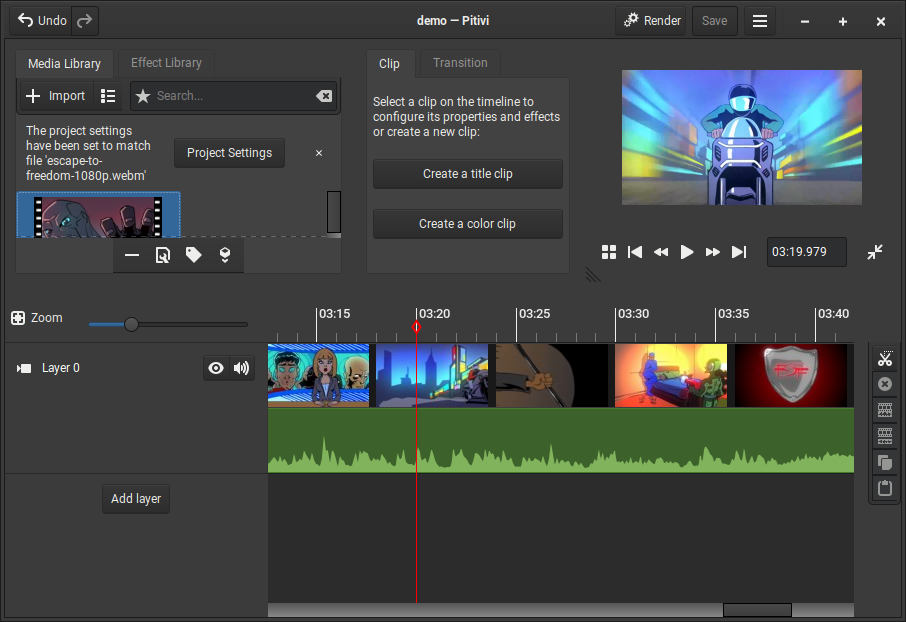
Video editors are applications that allow to create videos using videos, audios, images, titles and other elements. The interface for video editors shows the following:
- A panel that shows the resources added to the project, such as pictures, audio and video files.
- A preview panel with the play & pause buttons that allows to preview the current state of the video.
- A timeline, which is a panel divided in layers where video, audio and image files can be placed.
- A 'Export' or 'Render' button that outputs the result to a file. When the video is exported and more than one layer have images, the images that are rendered are the ones in the superior layer. Layers can be muted, allowing to combine the images of a layer with the sound of another.
Kino
Kino is a single-track, non-linear editor for Digital Video data. It is available for Trisquel 11 but not for Trisquel 12. Kino allows you to record, create, edit, and play movies recorded with DV camcorders. This program uses many keyboard commands for fast navigating and editing inside the movie.
The kino-timfx, kino-dvtitler and kinoplus sets of plugins, formerly distributed as separate packages, are now provided with Kino.
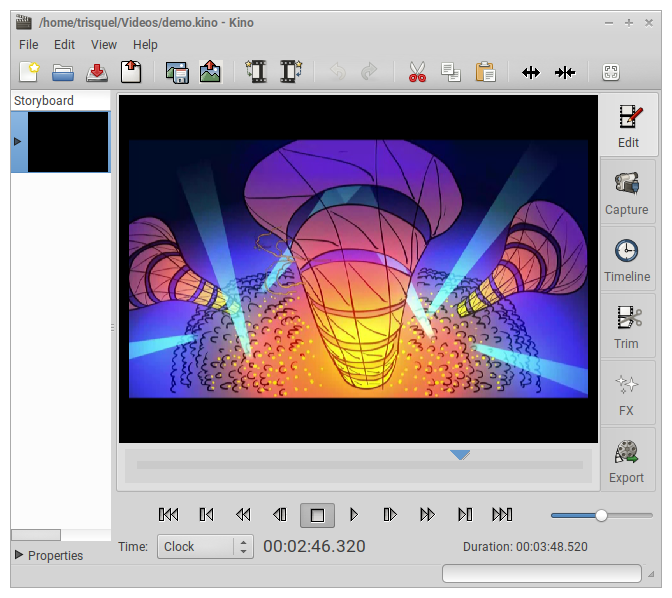
For a list of features see https://kinodv.org/article/static/2.html
Kdenlive
Kdenlive is a popular non-linear video editing suite, which supports DV, HDV and many more formats. It is available for Trisquel 11 and 12.
Its main features are:
- Guides and marker for organizing timelines
- Copy and paste support for clips, effects and transitions
- Real time changes
- FireWire and Video4Linux capture
- Screen grabbing
- Exporting to any by FFMPEG supported format
- Additional preview panel for source videos
- Creates titles
- Uses MP4 videos, but has to transcodify them first
- Uses transitions: https://docs.kdenlive.org/es/compositing.html
- Shows separate layer for video and audio
Data sheet:
- Version as of June, 2026: 23.08.5
- License: GPL 3.
- Website: https://kdenlive.org/
- Manual: https://docs.kdenlive.org/

For a list of features, see https://kdenlive.org/en/features/
LiVES
LiVES, a Video Editing system allowing users to edit and create video. It is available for Trisquel 11 but not for Trisquel 12. LiVES is a Video Editing system allowing both novice and advanced users to edit and create video straight away. It can also be used as a VJ tool, and can be scripted and controlled remotely.
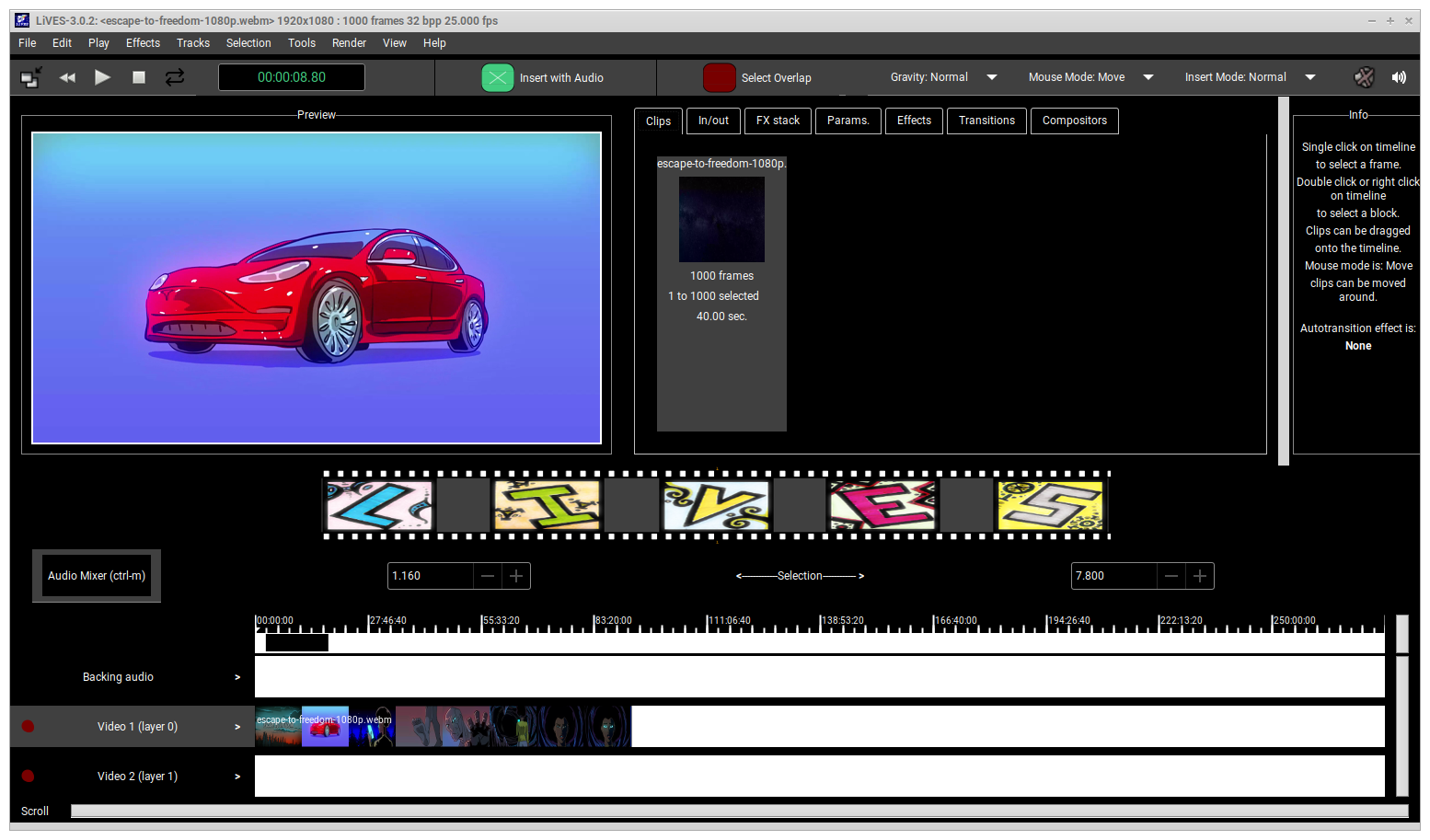
For a list of features, see http://lives-video.com/index.php?do=features
OpenShot
OpenShot lets you create and edit videos and movies.
OpenShot Video Editor is a free, open-source, non-linear video editor. It is available for Trisquel 11 and 12. It can create and edit videos and movies using many popular video, audio, and image formats. Create videos for YouTube, Flickr, Vimeo, Metacafe, iPod, Xbox, and many more common formats!
Features include:
- Multiple tracks (layers)
- Compositing, image overlays, and watermarks
- Support for image sequences (rotoscoping)
- Key-frame animation
- Video and audio effects (chroma-key)
- Transitions (lumas and masks)
- 3D animation (titles and physics simulations)
- Chroma key (green screen & blue screen)
- Transcode (convert video encodings)
- Upload videos (YouTube and Vimeo supported)
- Creates titles
- Uses MP4 videos.
- Alert: At present, exporting videos in format MP4 h.264 results in imageless videos, MP4 mpeg4 works OK though
Data sheet:
- Version as of June, 2026: 3.1.1
- License: GPL 3
- Website: https://www.openshot.org/
- Manual: https://www.openshot.org/gl/user-guide/?app-menu

For a list of features, see https://www.openshot.org/features/
Pitivi
Pitivi is a is a free video editor with a beautiful and intuitive user interface, a clean codebase and a fantastic community. It is available for Trisquel 11 and 12. Pitivi is also a non-linear audio/video editor using GStreamer.
GStreamer is a streaming media framework, based on graphs of filters which operate on media data. Applications using this library can do anything from real-time sound processing to playing videos, and just about anything else media-related. Its plugin-based architecture means that new data types or processing capabilities can be added simply by installing new plug-ins.
Features include:
- Manual
- Uses transitions, though only for videos in the same layer
- Creates titles
- Uses MP4 videos
Data sheet:
- Version as of June, 2026: 2023.03
- License: Lesser GNU 2.1
- Website: https://www.pitivi.org/
Olive
Olive is still in version 0.2.0. It is available for Trisquel 11 and 12.
Features include:
- Additional preview panel for source videos
- Manual: Action Search
- Uses transitions
- Cannot use MP4 videos
- Its big problems with RAM management appear to be fixed at present
Data sheet:
- Version as of June, 2026: 0.2.0
- License: GPL 3
- Website: https://www.olivevideoeditor.org/ (Empty)
Further Reading
There is a thread in the Trisquel Forum, with a list of video editors including reviews from our member Ignacio.Agullo plus some extra informations about the free software avidemux. See https://trisquel.info/en/forum/video-editors-available-gnulinux-trisquel
| Attachment | Size |
|---|---|
| kino.png | 267.07 KB |
| kdenlive.png | 441.1 KB |
| openshot.png | 232.89 KB |
| lives.png | 330.77 KB |
| pitivi.png | 190.1 KB |

